 Washi 和紙
GitHub
日本語
Washi 和紙
GitHub
日本語
Washi
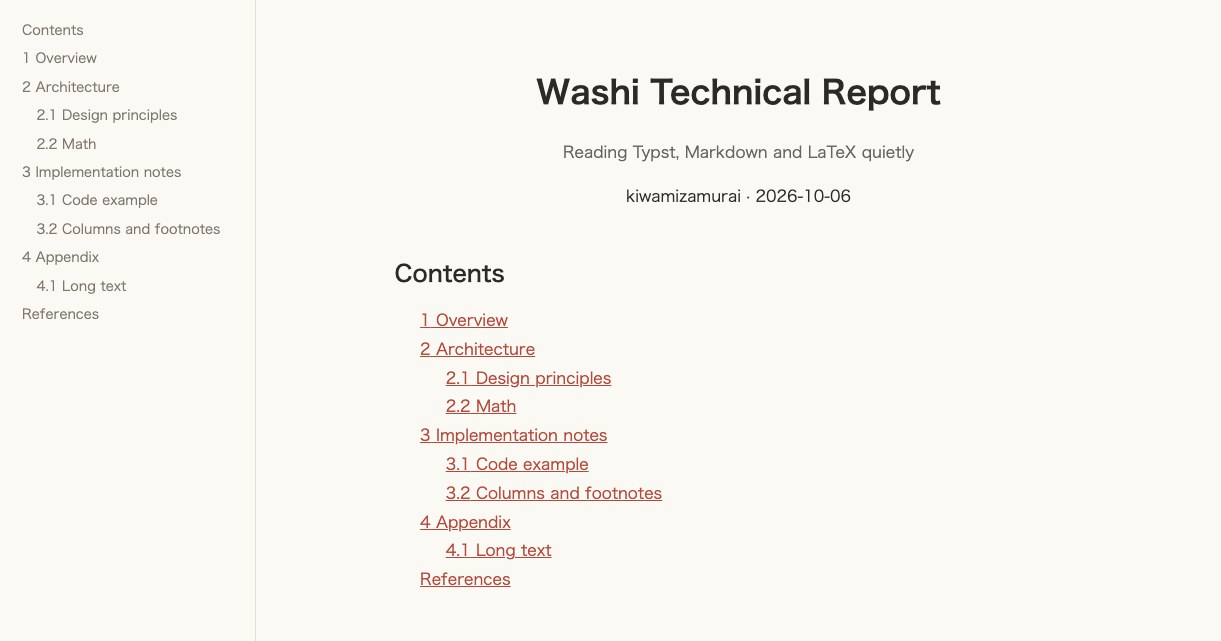
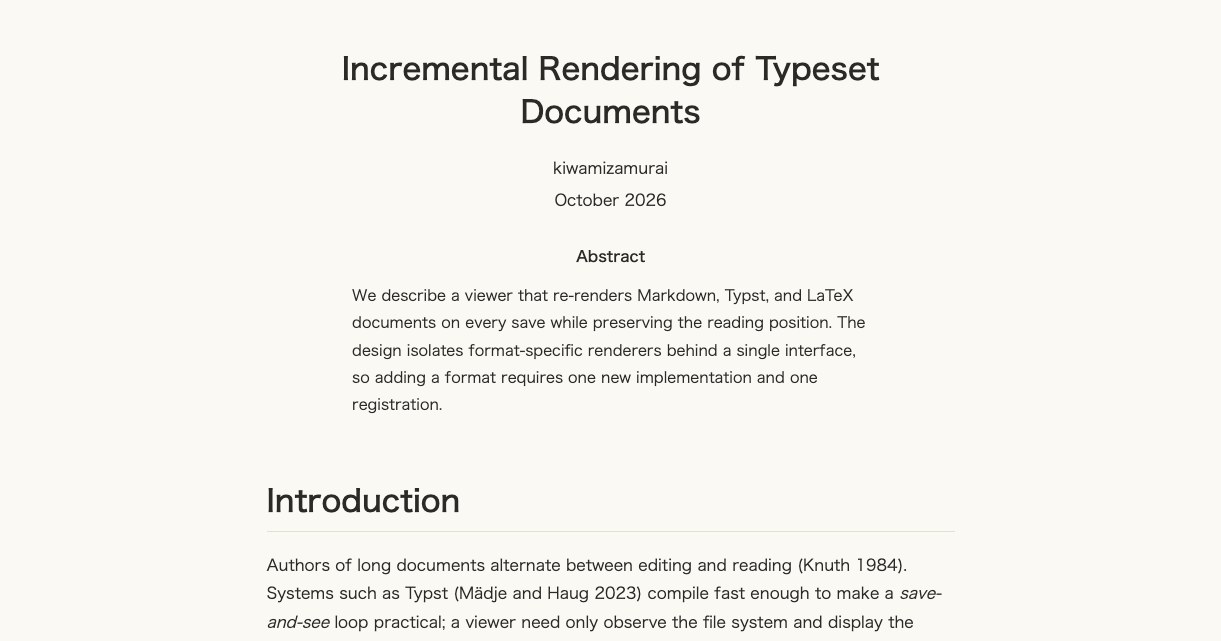
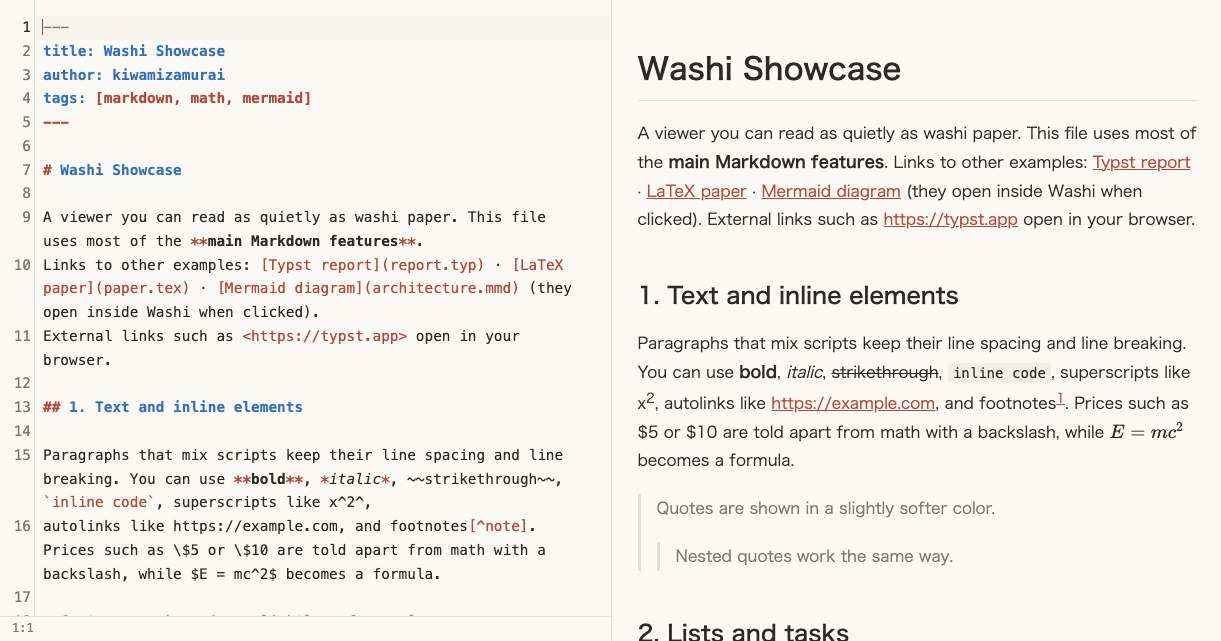
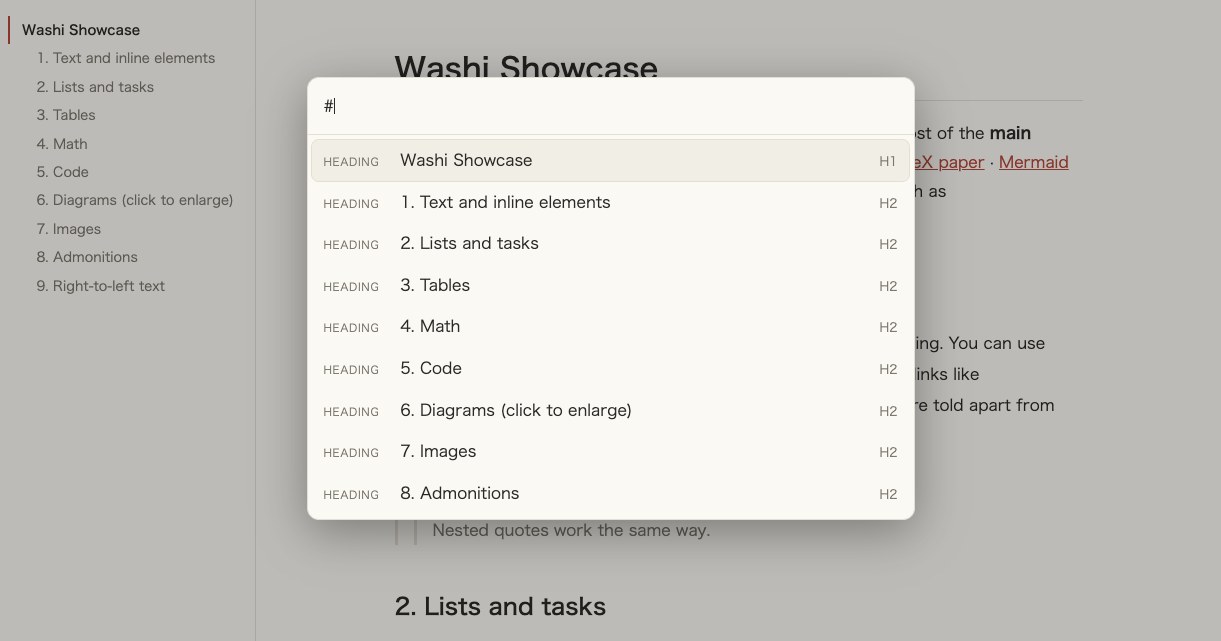
A small macOS app for reading Markdown, Typst, LaTeX and Mermaid. It redraws when the file changes. Press ⌘E to edit with a live preview.

What it does
washi file.mdopens a file from the terminal, and--jsonprints a stable result.- No telemetry. It uses the network only to fetch Typst
@previewpackages and, once a day, to ask GitHub for the latest version (you can turn this off).
Screenshots
Compared with other apps
| Washi | Typeset Viewer | SuperGoodViewer | Osh | hibi | Texpile | Oleafly | Quire Writer | Moraya | |
|---|---|---|---|---|---|---|---|---|---|
| Typst files | Yes | Yes | No (read as Markdown) | No (math blocks only) | Yes | Yes | Yes | Yes | Yes (downloads the typst CLI) |
| LaTeX files | Yes (pandoc) | Yes (latexmk) | No | No | Yes (Tectonic, compiled by hand) | Yes | Yes | Yes | No |
Mermaid .mmd files | Yes | Not stated | No | Quick Look only | Yes | No | Diagram Composer import | No | No |
| Other formats | None | None | About 15 (rST, AsciiDoc, Org, MDX, HTML, …) | PDF in a folder | PDF imported as LaTeX | Quarto | None | ||
| Shows | HTML | PDF pages | PDF pages | HTML | Typst SVG, LaTeX PDF | PDF, Typst preview | PDF pages | PDF / HTML / tinymist | WYSIWYG, Typst SVG |
| Redraws when another app saves the open file | Yes | Yes | Yes | Yes, not while editing | Only when you return to the tab | Editor text only; LaTeX needs live preview (off by default) | Folders opened in place, with auto-compile (off by default) | Yes, as an edit to review | Only when the window gets focus |
| Redraws when an included file changes | Yes | Yes | Images only | No | Typst in a workspace | Not stated | No | LaTeX, Typst | No |
| Preview to source jump | Yes | Not stated | No | No | Markdown only | Typst, LaTeX | Typst, LaTeX | Typst | No |
| CLI | Open, --json, exit codes, stdin | --render, --doctor, --appearance | Open, export, stdin | --export-pdf | No | No | oleaflyc (build from source) | No | No |
| Agent integration | CLI | Claude Code / Codex | CLI export | .skill files | MCP server | MCP server, ACP | MCP, ACP | ACP agents | MCP client, AI chat |
| Platforms | macOS arm64 | macOS 14+ arm64 | macOS, Windows, Linux | macOS 12+ | macOS, Windows, Linux | macOS, Windows, Linux | macOS arm64, Windows, Linux | macOS arm64; Windows, Linux experimental | macOS, Windows, Linux |
| Notarized | No | Yes | No | Yes | Yes | Yes | Yes | Yes | Yes |
| macOS download | 25.0 MB | 29.6 MB | 40.8 MB | 38.2 MB | 170.1 MB | 261.1 MB | 201.1 MB | 58.8 MB | 8.0 MB |
| License | MIT | Proprietary, free | MIT | GPL-3.0 | GPL-3.0-only | AGPL-3.0 | AGPL-3.0-or-later | GPL-3.0-or-later | Apache-2.0 |
| Version | 0.1.0 | 0.8.0 | 1.1.1 | 1.0.12 | Nightly only | 1.5.0 | 0.4.6 (beta) | 0.2.9 | 0.45.17 |
Typeset Viewer is the closest app to Washi: a reader that redraws on save, follows included and .bib files and keeps your place. It shows the real typeset PDF, is notarized and adds notes, AI review and presentation mode, but it is closed source. Washi is open source and shows HTML instead of pages, so it loses page layout and some LaTeX packages. hibi opens the most formats. If you want to write in the app, the others are editors first.
Install
Apple Silicon Macs only.
brew install --cask kiwamizamurai/tap/washi
washi notes.md
Or download the zip from Releases and move it to Applications. The app is not signed, so allow it once under System Settings → Privacy & Security.